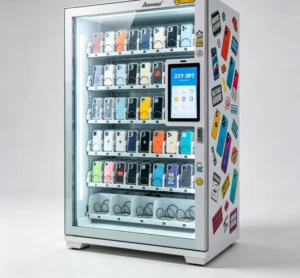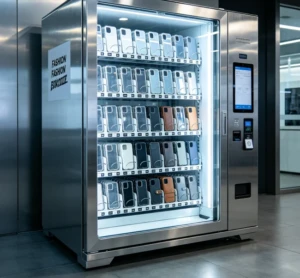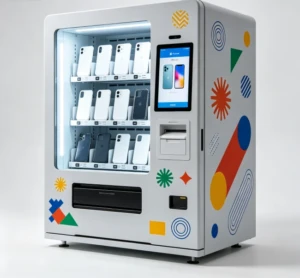
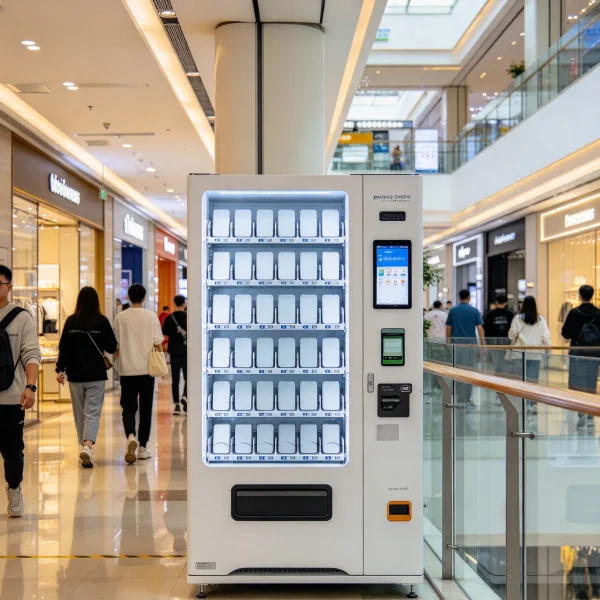
A phone case vending machine is a self-service kiosk that prints a customer’s own photo or design onto a blank phone case in about 3 to 5 minutes. You tap the touchscreen, pick your phone model, send an image from your phone through a QR code link, and the machine prints it in UV-curable ink and cures it under a lamp before dropping the finished case into a slot. You’ll find these units in shopping malls, airports, university student centers, boardwalk souvenir shops, and busy tourist streets. A typical machine stands about 1.8 m tall, takes up 1 to 2 square meters of floor space, and runs on a standard 110V or 220V outlet.
The six-step cycle a customer actually goes through
Watch one of these kiosks for an afternoon and the rhythm becomes obvious. Someone stops out of curiosity, spends about 90 seconds deciding, then follows a fixed sequence.
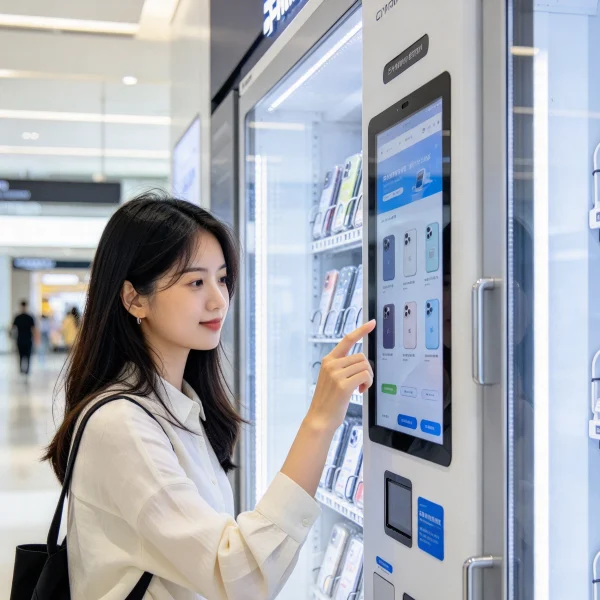
- Model selection. The screen shows a grid of cases, usually 300 to 800 phone models covering iPhone, Samsung Galaxy, Xiaomi, Huawei, and the popular mid-range bodies. If the customer’s model isn’t listed, they walk away.
- Image upload. A QR code opens a small web page on the customer’s phone. Many units also accept a USB stick, and machines built for the Chinese market often take WeChat or Alipay mini-program uploads. JPG and PNG files up to roughly 20 MB work fine.
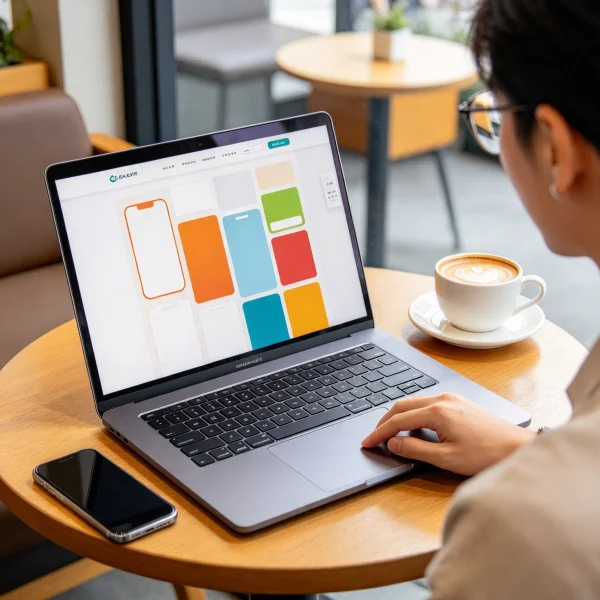
- Crop and preview. The on-board editor handles rotation, scaling, and background fill, then shows a 3D mockup wrapped around the exact case shape. This preview is where most purchases get decided.
- Payment. Card readers, Apple Pay, Google Pay, and occasionally cash. Most machines run the MDB protocol for payment peripherals, which makes swapping a reader later straightforward.
- Print and cure. A UV print head lays down CMYK ink plus a white underlayer so colors stay bright on dark cases. A UV LED lamp cures the ink in 30 to 90 seconds.
- Dispense. The finished case drops into a collection slot. Total time from first tap to pickup is 3 to 5 minutes.
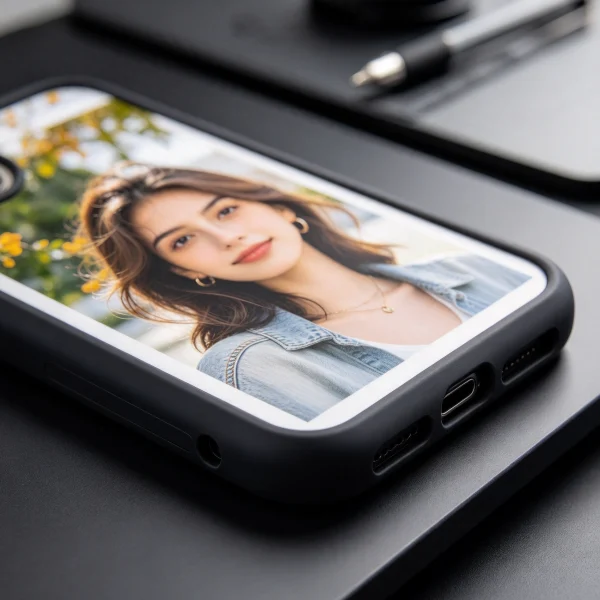
Step five is where suppliers get vague. Print resolution matters more than print speed at this price point. A 720 dpi head on a moving rail produces edges that hold up on a photo of a face. A cheap 300 dpi head turns hair into mush. Ask for sample cases printed by the exact model you’re considering, and judge the photo yourself.
What’s actually inside the cabinet
Strip the side panel off and you’ll see a fairly simple machine wearing an expensive shell. The parts list is short enough to memorize, which helps when a supplier starts describing features you never asked about.
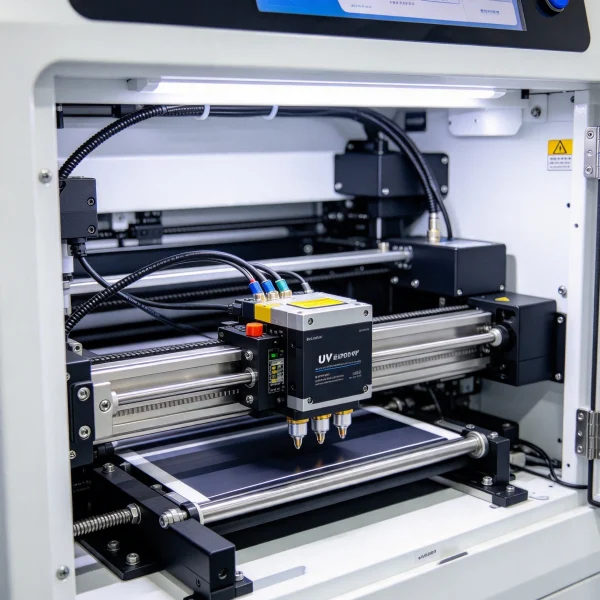
- An industrial piezo print head, commonly Epson or Ricoh, on a rail that travels over the case
- A UV LED curing lamp rated for roughly 10,000 to 20,000 hours
- A white ink circulation pump, since titanium dioxide white settles the moment it stops moving
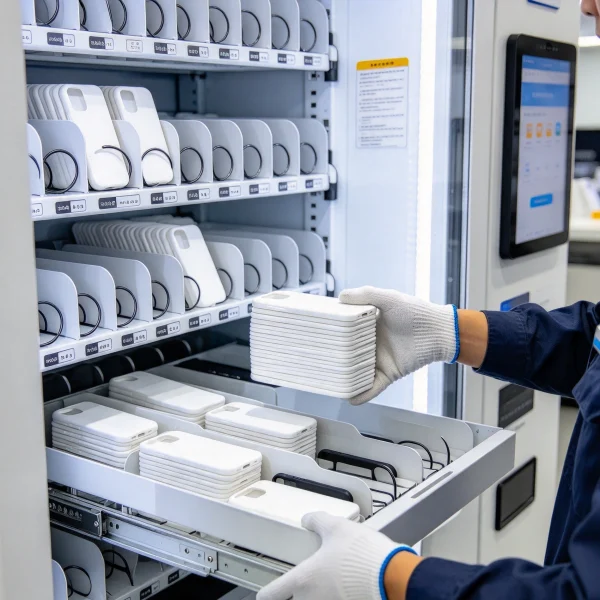
- A case magazine holding 30 to 100 blanks, restocked by whoever services the machine
- A 21 to 32 inch capacitive touchscreen
- An industrial PC or Android control board with remote monitoring
- An MDB-compatible card reader or QR payment terminal
- A carbon or HEPA filter for ink fumes
Two printing architectures dominate the market in 2026. Direct-to-case UV printing fires ink straight onto the blank and cures it on the spot. UV DTF printing lays the image on a transfer film first, and a laminating step bonds that film to the case. Direct printing wins on durability and blank flexibility. UV DTF costs less up front and handles curved surfaces with less head travel.
| Factor | Direct UV printing | UV DTF transfer |
|---|---|---|
| How the image is applied | Ink jetted onto the case, cured instantly | Printed to film, then laminated onto the case |
| Edge durability | Ink bonds into the case coating | Film edges can lift with heavy pocket wear |
| Cost per case | $0.20 to $0.60 in ink | $0.35 to $0.80 in film and ink |
| Blank flexibility | Needs a flat printable area | Handles more shapes and textures |
| Maintenance | Daily head wipe, weekly nozzle check | Film feed and roller cleaning |
| Typical machine price | $8,000 to $25,000 | $4,000 to $12,000 |
What a machine costs and what each case costs to make
Quotes swing hard by country, print head, and screen size, so use the tiers below to sanity-check whatever numbers land in your inbox. Freight and import duty can add 15 to 25 percent on top of an ex-works price.
| Tier | Typical price | What you get | Best for |
|---|---|---|---|
| Entry | $4,000 to $8,000 | One print head, 40 to 60 blank magazine, 21 inch screen, basic editor | Testing demand at a single site |
| Mid-range | $8,000 to $15,000 | Faster head, 80 to 100 blanks, better editor, remote dashboard | Malls, airports, cinema lobbies |
| High-end | $15,000 to $25,000 | High-resolution or dual head, larger screen, premium camera and lighting | High-traffic tourist sites |
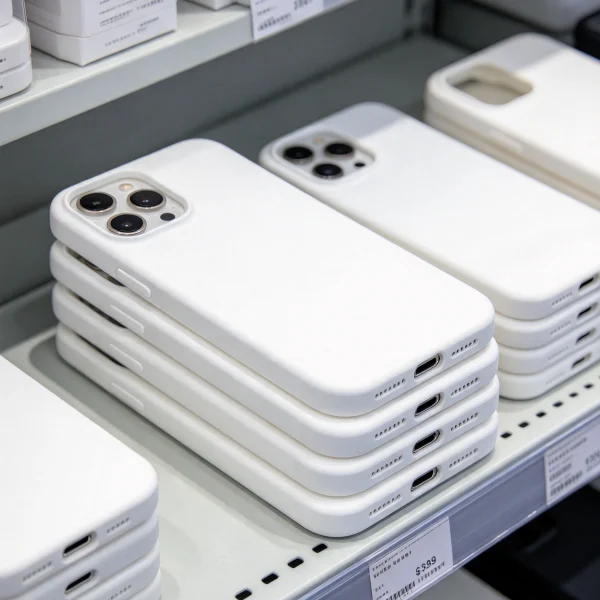
Then there’s the part nobody puts in the sales deck: consumables. A blank case runs $0.80 to $2.50 depending on model and order volume. Ink works out to $0.20 to $0.60 per case, and white costs more because every dark case burns through it. Add a poly bag and backing card at $0.05 to $0.10, and your true cost per printed case lands between $1.50 and $3.00.
Location does more for revenue than any spec sheet
An identical machine in two different spots can produce numbers that look like different businesses, and the machine is never the reason. It comes down to dwell time. Someone waiting 20 minutes for a table or a flight will happily design a case. Someone power-walking to a commuter platform will not. Look for sites that already see 2,000 or more people a day and keep them nearby for at least 10 minutes. Tourist districts, boardwalk souvenir strips, university student unions, cinema lobbies, and family entertainment centers are the usual winners.
Rent structure matters as much as traffic. Expect a fixed $600 to $1,500 a month in a mid-tier mall, or a lower base plus 10 to 20 percent of revenue. Some landlords ask for a percentage with no base at all, which sounds friendly until a slow month arrives. Push for a three-month trial with a revenue-share cap before you commit to a 24-month lease.
If you’re weighing this format against others for the same space, compare footprint and restocking honestly. A snack and drink combo eats far more floor and needs weekly refills, so it helps to know how many cans a drink vending machine holds before you sign a lease. A bubble tea vending machine pulls a similar impulse crowd but adds food handling and cleaning routines. A custom print kiosk needs one restock of blanks every one to three weeks, which is why a single operator can service eight or ten of them.
How to vet a supplier without getting burned
Ask the same questions of every quote you collect. The answers tell you more than the price does.
- Which print head brand and model, and what is its rated life?
- What does a blank case cost at 500, 2,000, and 5,000 units, and who supplies them in year three?
- Does the software need a monthly subscription, and what happens if you stop paying?
- How long is the warranty, and are spare parts stocked in my country?
- Can I watch a live machine running within a day’s drive?
- What does remote monitoring report, and how are faults alerted?
- Who trains my staff, and how long does installation take?
- What is the realistic daily output before the head needs a rest?
Then watch who answers. Resellers who have never touched the machine get vague about the print head, and that vagueness is your signal to move on. On VendingCore you can compare verified suppliers, read buyer reviews, and send an inquiry directly, which saves weeks of email with unknown vendors. The supplier sourcing guide covers the trade shows and distributor channels worth checking, and the 2026 buyers guide breaks down pricing tiers in more detail.
Payback math that holds up
Here’s the arithmetic I’d run before signing anything, based on a $15 average sale and 12 to 18 cases a day at a decent site. Consumables and packaging take about $2.00, and card processing takes roughly $0.75, so each sale leaves about $12.25 in gross profit. Twelve cases a day across 26 days is 312 sales, or about $3,800 a month. Eighteen a day gets you to roughly $5,700.
Now subtract the boring stuff: rent or revenue share at $1,200, software at $80, card terminal fees at $25, service visits and travel at $250, and $150 for odds and ends like blank-case freight. That’s $1,705 a month, leaving $2,100 to $4,000 in net profit. On a $12,000 machine, payback lands between 3 and 6 months. If your site can’t clear 8 cases a day, the math stops working, and no amount of social media posting fixes a bad location.
What I’d do next
Get three written quotes for the same specification, not three quotes that each describe a different machine. Compare print head model, blank case price at volume, software fees, warranty length, and local parts availability side by side, because those five items decide whether the kiosk is still earning in year three.
If your budget is closer to $5,000 and you want a wider look at the options, this breakdown of the best business to start with $5000 is worth ten minutes before you commit. Then put your quotes next to each other on VendingCore, where you can compare verified suppliers, read reviews from buyers already running these machines, and send an inquiry directly to the ones that fit your budget and your market.
FAQ
How long does it take for the machine to print a phone case?
Most machines finish in 3 to 5 minutes from first tap to pickup. Printing itself takes 60 to 120 seconds at 720 dpi, and UV curing adds another 30 to 90 seconds. Uploading and cropping the photo is the longest part, and that depends entirely on the customer. Faster production models with dual heads can shave a minute off the print step, which only matters if you expect queues of six or more people at peak hours.
How much does a phone case vending machine cost?
Entry-level units with a single print head and a 21 inch screen typically land between $4,000 and $8,000. Mid-range machines with faster heads, larger blank magazines, and a remote monitoring dashboard run $8,000 to $15,000. High-end units with premium print heads and larger displays reach $15,000 to $25,000. Freight, import duty, and installation can add 15 to 25 percent on top of the quoted price, so budget for the landed cost.
Do these machines need staff to operate them?
No. They run unattended, and the customer handles the entire transaction. Staff only visit to restock blank cases, refill ink, empty the waste tray, and wipe the print head. That service stop takes roughly 20 to 40 minutes, and most operators schedule it every one to three weeks depending on sales volume. Remote monitoring reports blank counts, ink levels, and fault codes so you know when a visit is due instead of guessing.
Which phone models can a custom case kiosk cover?
Good machines carry blanks for 300 to 800 models, covering current iPhone and Samsung Galaxy generations plus popular Xiaomi, Huawei, Oppo, and Vivo bodies. The real question is catalog freshness. New flagships launch constantly, and a supplier who takes six months to stock the latest model leaves you turning customers away. Ask for the current model list and how fast new releases get added.
What do the consumables cost per case?
Budget $1.50 to $3.00 per finished case. A blank case costs $0.80 to $2.50 depending on the model and how many you order at once. Ink adds $0.20 to $0.60, with white ink the priciest component because dark cases need a full opaque underlayer. Packaging, a poly bag and backing card, runs another $0.05 to $0.10. Ordering blanks in batches of 2,000 or more usually drops the unit price noticeably.
How many cases can one machine print in a day?
The mechanical ceiling is far higher than the realistic number. A machine can physically print 60 or more cases a day if someone keeps feeding it. What limits output is foot traffic and conversion. A strong mall location sells 15 to 25 a day on weekends and 8 to 12 on weekdays. Plan your payback model on the weekday number, then treat weekend volume as upside rather than the baseline.
What payment methods should I insist on?
At minimum, a contactless card reader that accepts Apple Pay and Google Pay, since most customers under 40 don’t carry cash. Confirm the reader speaks the MDB protocol so you can swap hardware later without changing the control board. QR payment is worth adding in markets where WeChat Pay, Alipay, UPI, or similar wallets dominate. Card processing typically costs around 2.9 percent plus $0.30 per transaction, which you should build into your pricing.
How do I find a supplier I can trust?
Start with an aggregator rather than a search engine. On VendingCore you can compare verified suppliers, read buyer reviews, and send an inquiry directly to several vendors at once, which gives you real quotes to compare instead of marketing pages. Ask each one for a live machine demo, a blank-case catalog, a spare parts list, and two customer references in your region. Vague answers on any of those four items mean keep looking.
The mistake I see most often is people buying on machine price and then discovering the blank case supply is the real business. Any kiosk can print a photo. The machine still earning in year three is the one where you can reorder blanks for the newest phone without waiting six weeks. When I evaluate a supplier now, I ask for the blank case catalog before I ask for a machine quote. If the catalog is thin, or the models lag six months behind the market, the whole unit is a gamble no matter how good the printer is.