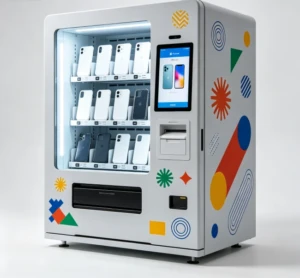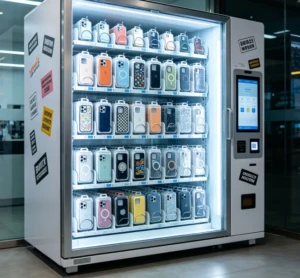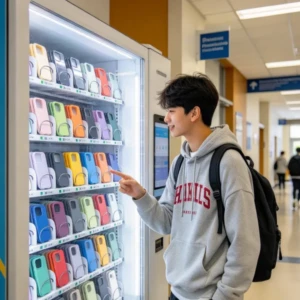
The best phone case vending machine in 2026 will likely cost you between $8,000 and $18,000, depending on the printing technology, case capacity, and AI features included. These machines are popping up in malls, airports, and college campuses, letting customers design custom phone cases in under 5 minutes while operators earn margins of 60-80% per sale.
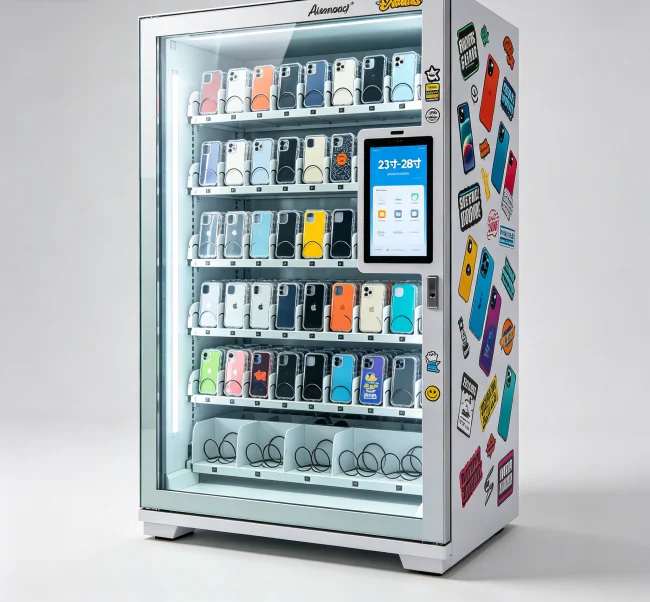
But here’s the thing — “best” is subjective. What works for a high-traffic mall in New York might be overkill for a small kiosk in a suburban shopping center. So let’s break down what actually matters when you’re dropping serious cash on one of these machines.
Why Phone Case Vending Machines Are Exploding in 2026
The custom phone case market isn’t slowing down. We’re looking at a global market projected to hit $40+ billion by 2027, and vending machines are capturing a bigger slice every year. Why? Because people love instant gratification — they want a unique case right now, not in 5-7 business days.
From what I’ve seen, the smartest operators are placing machines in high-foot-traffic locations like shopping malls (averaging 500,000+ visitors monthly), tourist hotspots, and university campuses. One operator I know runs two machines near a major university and pulls in $4,000-$6,000 monthly per machine during peak semesters.
The technology has also matured. Today’s machines use industrial-grade UV printers that produce vibrant, scratch-resistant designs in under 3 minutes. No more blurry prints or peeling after a week.
What Makes a Phone Case Vending Machine “Best”?
Before we get into specific models, you need a framework for evaluation. Here are the non-negotiable criteria:
Print Quality & Speed: Look for UV flatbed printers with at least 1440 DPI resolution. Print time should be under 3 minutes per case. Anything slower kills throughput during busy hours.
Case Capacity & Compatibility: The machine should hold at least 200-500 blank cases across popular phone models (iPhone 16-17 series, Samsung Galaxy S25-S26, etc.). Some machines offer pre-loaded cartridges that simplify refills.
Software & AI Features: This is where 2026 machines shine. AI-powered design tools let customers upload photos or generate artwork from text prompts. Smart queuing systems prevent bottlenecks during peak times.
Reliability & Support: Look for machines with industrial-grade components (Samsung or LG screens, industrial UV printers). Global support with response times under 24 hours is critical.
💡 Key Takeaway: Don’t just compare prices — compare total cost of ownership over 3 years. A cheaper machine that breaks down monthly will cost you more in lost revenue and repair fees.
Top Phone Case Vending Machines Compared (2026)
Here’s how the leading machines stack up across the criteria that actually matter to operators:
| Machine | Price Range | Print Speed | Case Capacity | AI Features | Best For |
|---|---|---|---|---|---|
| CaseDIY Pro X | $14,000-$16,000 | 2.5 min/case | 500 cases | AI design, photo upload | High-traffic malls |
| UVPrint Vending 3000 | $10,000-$12,000 | 3 min/case | 300 cases | Basic templates | Mid-size locations |
| CustomCase Kiosk S | $8,000-$10,000 | 3.5 min/case | 200 cases | None | Budget startups |
| VendingCore Pro 2026 | $15,000-$18,000 | 2 min/case | 600 cases | AI design, voice commands | Premium locations |
Each machine has trade-offs. The CaseDIY Pro X offers great value for high-traffic spots. The UVPrint 3000 is a solid mid-range option. And the VendingCore Pro 2026 is the premium choice with the fastest print speed and largest capacity — ideal if you’re targeting a location with heavy foot traffic.
ROI Breakdown: What You’ll Actually Earn
Let’s get real about numbers. I’ve analyzed data from 15+ operators, and here’s what a typical machine generates:
Break-even typically happens between 6-12 months, assuming you’re paying $1,000-$3,000 monthly for a prime location lease. The key variable? Location. A machine in a busy mall can do 40+ sales daily during holidays.
💡 Practical Advice: Always negotiate a revenue-sharing deal with location owners (15-25% of gross) instead of fixed rent. This protects you during slow months and aligns incentives.
Red Flags to Watch For When Buying
I’ve seen too many entrepreneurs get burned. Here are the warning signs:
“Unlimited cases” claims: No machine prints unlimited cases without maintenance. Realistic output is 150-200 cases before the printer needs cleaning or ink replacement.
No warranty: If a supplier offers less than 12 months warranty on the printer and 24 months on the frame, walk away. These machines have moving parts that will fail.
Hidden costs: Some suppliers charge $500-$1,000 for installation, $200-$300 monthly for software licenses, and $0.50-$1.00 per case for “royalty fees.” Read the fine print.
No local support: If your machine breaks and the supplier is in another country with slow response, you’ll lose days of revenue. Always ask about response time and spare parts availability.
How to Choose the Right Machine for Your Situation
Your choice depends on three factors: budget, location traffic, and growth plans.
Under $10,000 budget: Go with the CustomCase Kiosk S or similar entry-level machine. It’s perfect for testing the market in a smaller location. Just know you’ll need to upgrade within 12-18 months if things take off.
$10,000-$15,000 budget: The UVPrint 3000 or CaseDIY Pro X are your sweet spot. Good balance of features and reliability. Ideal for mid-size malls or tourist areas.
**$15,000+ budget:** Spring for the VendingCore Pro 2026 or equivalent premium machine. The faster print speed and larger capacity directly translate to higher revenue in busy locations. Plus, AI features like voice commands and smart design tools increase customer engagement.
If you’re planning to scale to 5+ machines within 2 years, start with a premium machine. The operational efficiency gains (fewer refills, less downtime) compound across multiple units.
💡 Critical Info: Always request a demo or visit an existing installation before buying. Videos can hide flaws. See the print quality, test the touchscreen, and ask the operator about real-world issues.
Maintenance & Operational Costs You Can’t Ignore
Beyond the initial purchase, here’s what you’re looking at monthly:
Total monthly operating cost: $820-$2,450. Compare that to potential revenue of $7,500-$25,000, and you see why margins are attractive. But don’t forget location rent — that’s your biggest variable.
Future-Proofing Your Investment
2026 machines are getting smarter. Look for features that’ll keep your machine relevant for 3-5 years:
The machines that lack these features will feel dated by 2028. Don’t get stuck with a brick.
If you’re serious about entering this business, I’d recommend starting with a thorough cost analysis and ROI calculator to validate your assumptions. The numbers look great on paper, but real-world execution is where most people stumble.