A professional phone case printing machine typically costs between $3,000 and $50,000, depending on whether you’re looking at a desktop UV printer for small batches or an industrial-grade direct-to-object system for high-volume production.
This isn’t a one-size-fits-all purchase. The machine that’s perfect for a weekend Etsy seller would be a bottleneck for a factory churning out 500 cases a day. And the industrial beast that factory needs would be overkill — and way over budget — for someone just testing the waters.
Let’s break down what you’re actually paying for, and more importantly, what you should be looking for based on your specific goals.
What Drives the Price Tag?
You’ll see a massive range in pricing, and it’s not arbitrary. Here’s what separates the $3,000 machines from the $30,000 ones.
Print technology is the biggest factor. Entry-level models use modified Epson printheads — they work, but they’re slow and not built for 24/7 operation. High-end machines use industrial printheads from Ricoh, Konica Minolta, or Kyocera. These are engineered for speed, precision, and longevity. You’re paying for durability.
Build quality matters more than you’d think. A machine with an aluminum frame and linear rails will hold its calibration for years. A cheaper model with plastic components and basic guides will start drifting out of alignment after a few hundred prints. That means wasted materials, frustrated customers, and lost money.
Software is a hidden cost. Some manufacturers bundle proprietary RIP software that handles color management and print layout. Others leave you to figure it out with generic drivers. Good software can save you hours of setup time and dramatically reduce ink waste.
Support and warranty. This is where many budget suppliers cut corners. You might save $2,000 upfront, but if the machine breaks down and the seller takes two weeks to respond, you’ve lost far more in downtime.
The Three Tiers of Phone Case Printing Machines
Let’s get practical. Here’s how the market shakes out.
Entry-Level (Under $5,000)
These are your desktop UV printers, often converted from standard flatbed printers. They’re fine for testing the waters, but they come with real limitations.
I’ve seen people start here and make money. But I’ve also seen people outgrow these machines within three months and end up spending more in the long run by upgrading twice.
Mid-Range ($5,000 – $15,000)
This is the sweet spot for most small to medium businesses. You’re getting dedicated printheads, better build quality, and significantly faster throughput.
These machines can handle a real workload. If you’re running an online store, a booth at a mall, or a small print shop, this is where you should be looking.
Industrial / Commercial ($15,000 – $50,000+)
These are built for volume. We’re talking conveyor-fed systems, automatic registration, and print speeds that make the entry-level machines look like toys.
These are for factories, large fulfillment centers, and businesses where printing phone cases is a primary revenue stream, not a side hustle.
What You Actually Need to Print a Phone Case
This is where a lot of beginners get confused. The machine is just one piece of the puzzle.
You’ll need a UV flatbed printer or a UV DTF (direct-to-film) printer. UV flatbed printers print directly onto the case. UV DTF printers print onto a special film that you then transfer onto the case. Both have pros and cons.
For UV flatbed printing, you need:
For UV DTF printing, you need:
The total setup cost for a turnkey operation — machine, ink, accessories, and a few months of consumables — is typically 1.5x to 2x the machine price.
How to Choose the Right Machine for Your Business
💡 Critical Info: Don’t buy based on price alone. A $4,000 machine that breaks down weekly will cost you more than a $10,000 machine that runs flawlessly for years. Factor in downtime, lost orders, and customer frustration.
Ask yourself these questions:
What’s your daily volume? If you’re printing 10 cases a day, an entry-level machine might work. If you’re printing 50+, you need mid-range or better.
What materials will you print on? Silicone cases are the most common and the most difficult to print on. Make sure any machine you consider has proven results with silicone. Ask for samples.
Who will operate it? If you’re hiring minimum-wage staff, the machine needs to be simple and forgiving. If you’re running it yourself, you can handle more complexity.
What’s your growth plan? Buying a machine that barely meets your current needs is a recipe for frustration. Buy for where you’ll be in 12 months, not where you are today.
The Hidden Costs Nobody Talks About
Every beginner underestimates these.
Ink waste. You’ll waste a surprising amount of ink on purging, cleaning, and test prints. Budget at least 20-30% over your theoretical ink cost.
Rejected prints. Even with a good machine, you’ll have a 5-10% rejection rate from print defects, alignment issues, or material problems. That’s wasted cases and wasted ink.
Maintenance. Printheads need cleaning. Capping stations need replacing. UV lamps degrade over time. Budget $500-$2,000 per year for parts and maintenance, depending on your machine.
Training. You or your staff will need time to learn the machine, the software, and the materials. Figure at least a week of reduced productivity.
Is a Phone Case Printing Machine a Good Investment?
It can be, absolutely. The margins on custom phone cases are excellent — materials cost is typically $2-$5 per case, and you can sell them for $20-$40.
But the math only works if you have a reliable machine and a reliable sales channel. A machine that sits idle for repairs is a machine that’s losing you money every single day.
If you’re serious about this business, look for suppliers with a track record. Ask for references. Visit their facility if possible. Get everything in writing — warranty, support response times, spare parts availability.
💡 Practical Advice: Start with a mid-range machine from a reputable supplier. The extra upfront cost pays for itself in reliability and support. Avoid the cheapest option — it’s almost always the most expensive in the long run.
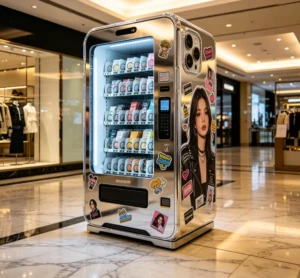
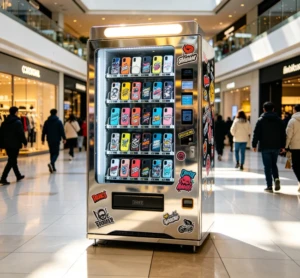
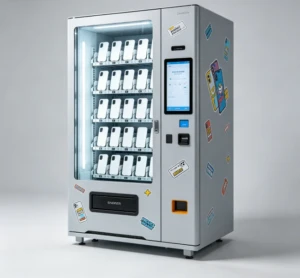
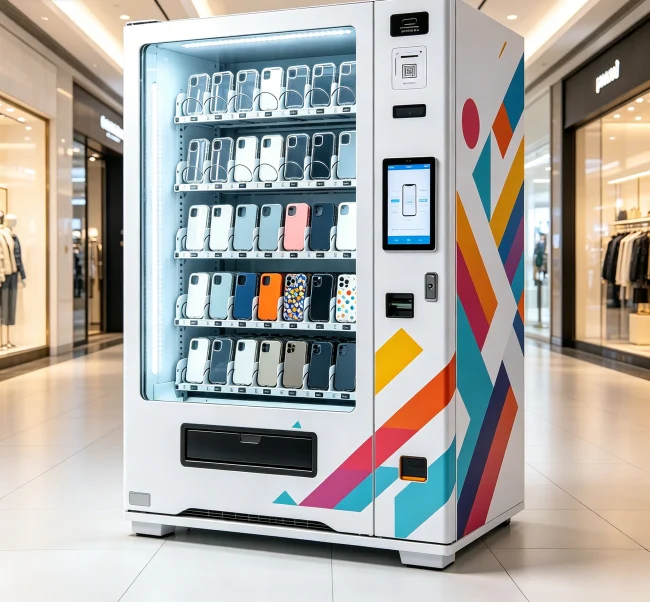
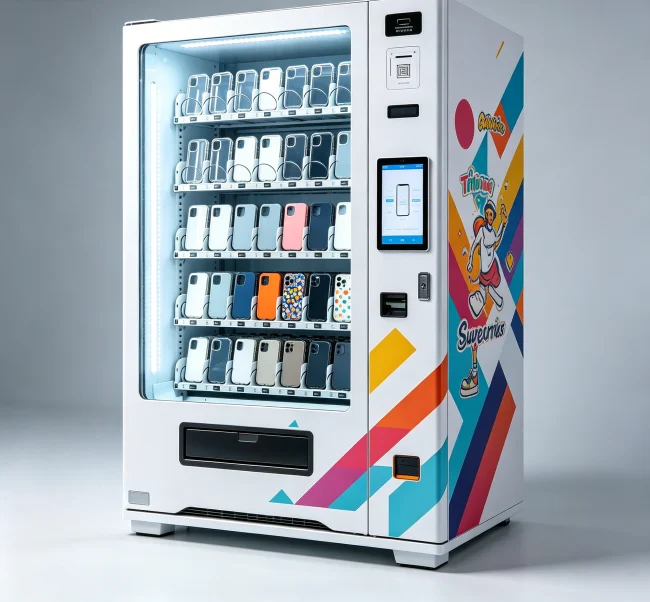
For those looking at automated solutions, a phone case printing vending machine combines the printer with a self-service kiosk, letting customers design and print their cases on the spot. That’s a whole different business model with its own ROI considerations.
Common Mistakes to Avoid
Buying a machine without seeing it print. A video is not enough. Ask for a live demo or visit a facility. If they won’t show you, walk away.
Ignoring ink costs. Some machines use proprietary ink cartridges that are absurdly expensive. Check the cost per milliliter before you buy.
Skipping the pretreatment step. Silicone cases need pretreatment for the ink to stick. If your machine doesn’t handle this well, your prints will peel off.
Underestimating the learning curve. Printing a perfect phone case is harder than it looks. Give yourself time to learn.
The Bottom Line
A phone case printing machine is a serious investment. The right one can be the foundation of a profitable business. The wrong one is an expensive paperweight.
Take your time. Do your research. And don’t be afraid to spend a little more for quality and support. Your future self — and your customers — will thank you.
If you’re exploring automated retail options, you might also want to check out what a phone case printing vending machine actually does and how it generates revenue. It’s a different approach, but one that’s gaining serious traction.
💡 Key Takeaway: Match the machine to your volume, your materials, and your growth plan. Don’t overbuy, but don’t underbuy either. The sweet spot for most small businesses is the $5,000-$15,000 range.