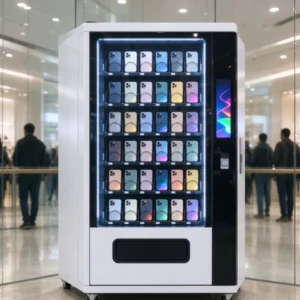
Home / Phone Case Vending Machine / How Does a Phone Case Vending Machine Work – A Complete Operators Guide

How Does a Phone Case Vending Machine Work – A Complete Operators Guide

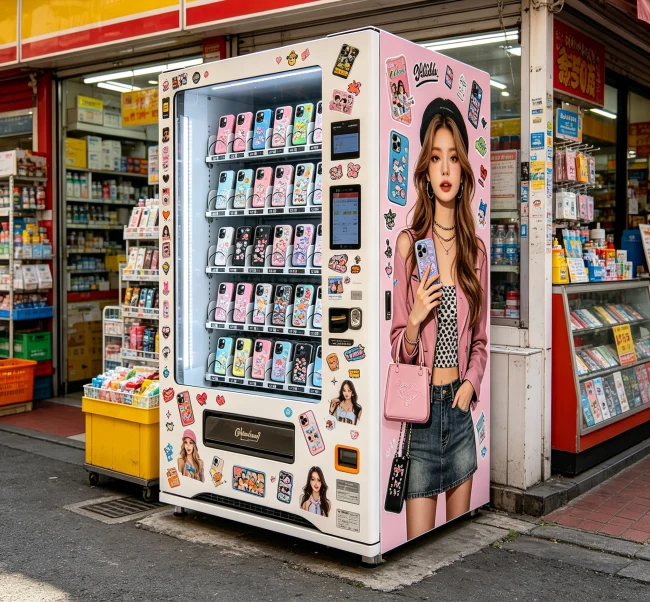
A phone case vending machine works by combining a user-friendly touchscreen interface, a high-resolution UV printer, and a secure payment system to deliver a custom-designed case in under 5 minutes. It’s a self-service kiosk that turns a blank case into a personalized accessory right before your eyes. For entrepreneurs, it’s a compact, automated retail business that can generate revenue in high-traffic locations with minimal staffing.
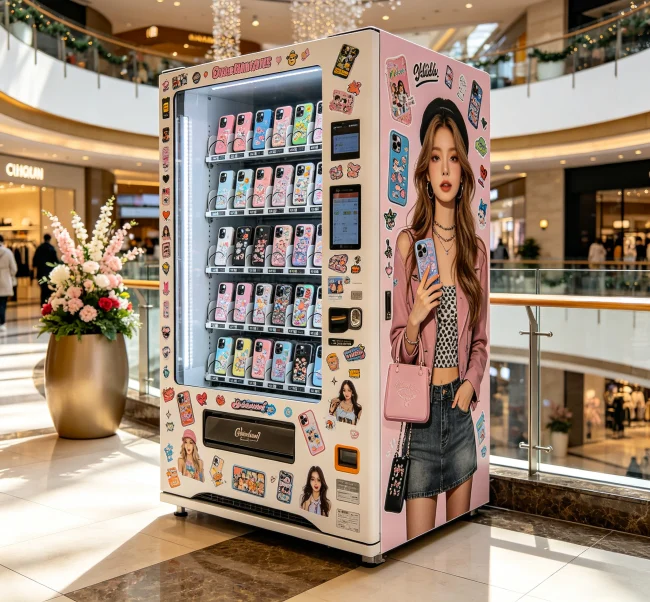
how does a phone case vending machine work

Let’s break down exactly how this happens, from the customer’s tap on the screen to the business owner’s bottom line.

Think of it less like a traditional snack vending machine and more like a sophisticated, all-in-one printing studio. The magic happens through a few key components working in harmony.

First, there’s the interactive touchscreen. This is the brain’s front door, running custom software that guides the user. It displays hundreds—sometimes thousands—of pre-loaded design templates, from abstract art to pop culture graphics. More advanced machines allow for full customization: uploading personal photos, adding text, or even creating designs from scratch.

Behind that screen, the real workhorse is the industrial UV printer. This isn’t your average inkjet. It uses special UV-curable inks that are sprayed onto the surface of a blank phone case and then instantly hardened (or “cured”) by ultraviolet LED lights. This process creates a scratch-resistant, durable finish that won’t smudge the moment you handle it. The machine holds a stock of blank cases (the “blanks”) in various sizes and colors, typically stored in a vertical carousel or cartridge system.

Finally, the payment and robotics system ties it all together. After payment via card, cash, or mobile pay, a robotic arm or conveyor system selects the correct blank case, positions it perfectly under the printer heads, and then delivers the finished product to a pickup bay. All this software and hardware needs to be incredibly reliable—downtime is lost money.

💡 Key Tech Insight: The quality of the UV printer and curing system is everything. Cheaper machines might save upfront cost but lead to faded, peeling cases and unhappy customers.

Step-by-Step: The Customer’s Journey

So what does the user actually experience? It’s a surprisingly simple four-step process.

  • Select & Customize: The user picks their phone model from an on-screen list. Then, they browse design galleries or upload their own image. They can zoom, rotate, and position it perfectly on a digital preview of the case.
  • Review & Pay: The screen shows a final mockup and the price. Payment is made via the integrated terminal. This is a critical moment—the software must be intuitive. Confusion here means an abandoned sale.
  • Watch It Print: Here’s the fun part. The machine often has a viewing window. The user can watch as the robotic arm retrieves a blank case and the printer head zips back and forth, layering the design onto the case with vivid color. The UV lights flash, curing each layer instantly.
  • Retrieve & Go: In 2-4 minutes, a small door opens, and the finished, dry-to-the-touch case is ready. No waiting for ink to dry, no assembly required.
  • The entire transaction is designed to be a novelty and a convenience, which is a big part of its appeal in malls, airports, and college campuses.

    Behind the Scenes: The Operator’s Reality
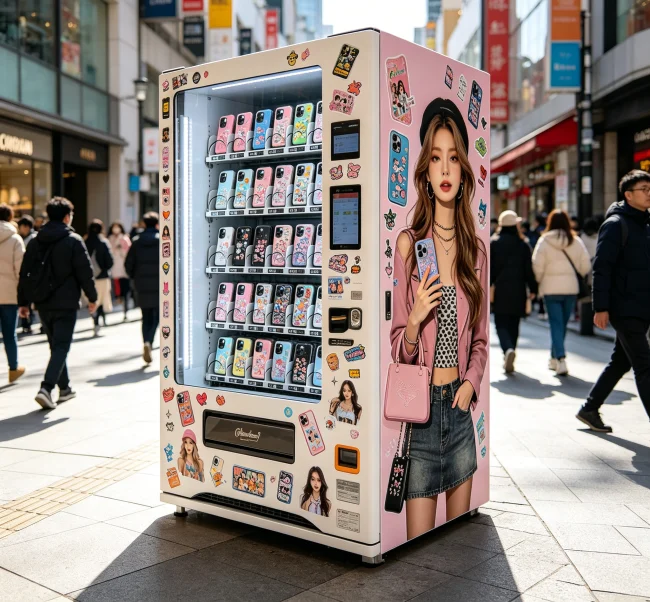
    Behind the Scenes: The Operator’s Reality

    For the business owner, the machine’s work is only half the story. Your work involves keeping the magic running smoothly. This back-end operation is where many first-time entrepreneurs get tripped up.

    Your primary job is inventory management. You’ll need to regularly restock the blank cases in all the popular phone models (which change every year). Running out of iPhone or Samsung Galaxy cases during a weekend rush is a direct revenue killer. The software dashboard, usually accessible remotely, tells you stock levels, best-selling designs, and sales data.

    Then there’s maintenance. The print heads need occasional cleaning to prevent clogging. The UV lamps have a lifespan and will need replacing. The payment mechanism must be kept free of dust and debris. It’s not heavy machinery, but it’s precise equipment that demands attention.

    Finally, you manage the content and pricing. You can upload new design packs seasonally (think holidays, sports finals). You can run promotions or adjust pricing for different locations. This is where you optimize for profit. The cost of a blank case might be $2-$5, and you sell the finished product for $15-$25. That margin covers the machine, location lease, and your time.

    💡 Operator’s Advice: Don’t just set it and forget it. Regularly check your remote sales dashboard and plan restocks around local events or holidays to maximize sales.

    Costs, Revenue, and a Realistic ROI Check
    Costs, Revenue, and a Realistic ROI Check

    Let’s talk numbers, because that’s why most people are really reading this. The “get rich quick” stories are exaggerations, but the model can be profitable with realistic expectations.

    Your major startup costs are the machine itself and location fees. A quality commercial-grade kiosk can range from $15,000 to $30,000. You might also consider leasing options. Then, you have the ongoing costs: blank cases, ink, software licenses, and a percentage cut for the mall or venue (which can be 15-25% of sales).

    On the revenue side, let’s be conservative. In a decent foot-traffic location, selling 4-5 cases per day at an average of $20 each is a reasonable goal. That’s about $3,000 per month in revenue. After costs for blanks, supplies, and location commission, your net profit might be in the $1,200-$1,800 range monthly.

    That puts a well-placed machine on a path to pay back its initial investment in 3-6 months. After that, it’s mostly profit minus restocking and minor maintenance. The key variable isn’t the machine’s speed—it’s your location’s foot traffic and your ability to market the service on-site.

    💡 Financial Reality: Your lease agreement with a venue is often more critical to your success than the machine’s brand. Negotiate terms carefully before you buy anything.

    Common Hiccups and How to Solve Them
    Common Hiccups and How to Solve Them

    What goes wrong? Knowing this separates the prepared operators from the frustrated ones.

  • Print Quality Issues: Blurry or streaky prints usually mean the print heads are dirty or the UV lamps are dimming. Most software has a “clean print heads” utility. Keep a maintenance log.
  • Software Freezes: The touchscreen becomes unresponsive. First step: reboot the machine. It’s a computer, after all. Ensure it has a stable internet connection for remote monitoring and updates.
  • Payment Failures: The card reader declines valid cards. This is often a connectivity issue with the payment processor. Have clear contact info for your payment terminal provider.
  • Stock Jams: A blank case gets misaligned in the cartridge. The machine will usually error out. You’ll need to open the service panel (keep that key handy!) to manually clear the jam.
  • Having a basic troubleshooting guide and a reliable technical contact from your supplier is non-negotiable. This is where partnering with an established platform pays off. For instance, sourcing through a B2B platform like VendingCore connects you to manufacturers who provide clearer technical support and have a reputation to uphold, as they’re part of a network with over 10,000 successful transactions. It beats emailing a faceless supplier overseas when your machine is down on a Saturday.

    Is This Business Right For You? Key Considerations

    Before you take the plunge, ask yourself these questions:

  • Do I have a proven, high-traffic location locked down? This is 80% of the battle. Scout locations, count foot traffic, and talk to venue managers before even looking at machines.
  • Am I comfortable with basic tech troubleshooting? You don’t need to be an engineer, but you must be willing to learn the machine’s basics to avoid costly service calls for minor issues.
  • What’s my local competition? Are there three other case kiosks in the same mall? If so, what will make yours different—better designs, lower prices, newer phone models?
  • Have I factored in all the hidden costs? Insurance, business licenses, sales tax collection, and electricity (these machines need power) all add up.
  • If you’ve got a great location and a handle on the operational reality, it can be a rewarding automated business. The real work is in the setup and management, not the daily sales, which is precisely its appeal.

    💡 Final Consideration: Your supplier choice is critical. Look for quality certifications (CE, RoHS) and ask for references. Platforms that aggregate multiple manufacturers, like VendingCore, can offer cost savings of 15-30% through competitive pricing and save you from the risk of dealing with a single, unvetted supplier.
    Frequently Asked Questions (FAQ)

    A

    The cases themselves are typically made of durable polycarbonate or TPU. The print, cured by UV light, is scratch-resistant and waterproof. It’s not indestructible—deep gouges can damage it—but for everyday use, the quality is comparable to many pre-printed cases you’d buy online or in stores. The technology has improved significantly in recent years.

    A

    Most machines stock blanks for the latest and most popular iPhone and Samsung Galaxy models (from the last 3-4 years). They also commonly carry cases for Google Pixel and sometimes older “legacy” models. The selection is driven by demand, so a kiosk in a busy airport will focus on current flagships. Operators can choose which blanks to stock.

    A

    Absolutely. Most machines have a “Customize” option where you can connect your phone via QR code or use a USB port to upload photos directly. The software then lets you crop, zoom, and position the image on the case template. This personalization is a huge selling point.

    A

    From selection to finished product, the average transaction takes 3 to 5 minutes. The actual printing and curing process is usually 2-3 minutes of that time. It’s fast enough to be an impulse buy while someone is walking through a mall.

    A

    Location and inventory management. Securing a high-foot-traffic spot is the single hardest part. After that, ensuring you never run out of blanks for the most popular phone models is a constant logistical task. A machine with an empty slot for the latest iPhone is literally leaving money on the table.

    A

    Initial investment varies widely. A new, full-size commercial kiosk can cost $15,000-$30,000. Leasing options exist. You must also factor in the first batch of blank cases, installation, and often a security deposit or revenue share for your location. A total startup budget of $20,000 is a realistic starting point for a quality setup.

    A

    Yes, when operated correctly. The UV-curable inks are solvent-free and do not release harmful fumes during the printing process inside the sealed machine. The curing process using UV LEDs locks the ink into a solid polymer. Reputable machines comply with international safety and electrical standards (CE, RoHS).

    The success of a phone case vending machine hinges on three pillars: equipment reliability, location psychology, and operational diligence. I’ve seen too many entrepreneurs focus solely on the machine’s price, opting for cheaper models that fail under constant use, damaging customer trust permanently. The higher upfront cost for a machine with industrial-grade components from a verified manufacturer pays for itself in reduced downtime. Furthermore, treat your kiosk like a retail store—analyze your sales data weekly, refresh your design library seasonally, and always, always keep the most popular phone models in stock. It’s an automated business, but it requires a hands-on owner.

    Marcus Chen
    Retail Automation Strategist & VendingCore Platform Partner

    Ready to Start Your Project?

    Contact us for professional advice and customized solutions

    Contact Now

    Asher

    Technical expert in smart vending solutions and IoT-enabled retail automation. Providing in-depth reviews and comparisons to guide businesses toward the best technology choices.

    Leave a Comment

    Your email address will not be published. Required fields are marked *

    Table of Contents
    0%
    VendingCore
    Privacy Overview

    This website uses cookies so that we can provide you with the best user experience possible. Cookie information is stored in your browser and performs functions such as recognising you when you return to our website and helping our team to understand which sections of the website you find most interesting and useful.